Sometimes a MySQL slave may get corrupted, or its data may otherwise be unreliable. Usually I clone the data from a slave that is still ok and fix it from there. However, today I run into an issue that made me doubt on the data of any slave. To be absolutely sure the data is consistent on both master and slave, I decided to deploy a new slave with a clone of the master and then redeploy the other slaves from the newly created slave like I normally do with a script.
This blog post describes both methods of restoring replication.
Restoring data directly from the master
We will create a dump from the master server and use it on a slave. To be sure nothing changes during the dump, we issue a ‘read lock’ on the database. Reading will work, writes will wait until we unlock, so please choose the right time to do this maintenance.
To lock all tables run:
FLUSH TABLES WITH READ LOCK;
Now that we have the lock, record the position of the master and write it down. We need it later to instruct the slaves where to continue reading updates from the master.
SHOW MASTER STATUS\G
Example output:
File: bin-log.002402
Position: 20699406
Time to create a sql dump of the current databases. Do this in another session and keep the first one open. This will make sure you’ll keep your lock while dumping the database.
mysqldump -ppassword -u username --add-drop-database databasename table1 table2 > masterdump.sql
After the dump is complete, go back to fist screen and release lock:
UNLOCK TABLES;
This is all we need to do on the master.
Restoring from an already running slave
As an alternative to creating a dump from the master, you can also use a slave’s data. This has the advantage of not having locks on the master database and thus not interrupting service. On the other hand, you will have to be sure this slave’s data is correct.
First stop the slave
SLAVE STOP;
And verify it has stopped
SHOW SLAVE STATUS\G
Output:
Slave_IO_Running: No
Slave_SQL_Running: No
Master_Log_File: bin-log.002402
Read_Master_Log_Pos: 20699406
Record the ‘Relay_Master_Log_File’ and ‘Exec_Master_Log_Pos’. This is the position this slave is at. We will need it later to instruct the new slave.
Create a sql dump of the slave’s data:
/usr/bin/mysqldump --add-drop-database -ppassword -u user -h mysqlserver --databases databasename
Now that we have a dump, we can start the slave again.
SLAVE START;
In the period between the ‘stop’ and ‘start’ slave, everything still works except that updates from the master are not processed. As soon as you start the slave again, the slave catches up with the master.
This method has the advantage that is it easily scriptable. Whenever there’s a problem, you’d run a script with the above commands and have everything fixed in a matter of seconds. That’s a real time saver!
Setting up the new slave
Use scp to securely copy the sql dump we just created above to the slave. Alternatively you may run the ‘mysqldump’ commands directly from the slave as well. Then login and run these commands:
STOP SLAVE;
RESET SLAVE;
Restore the sql dump:
mysql -ppassword -u user databasename < masterdump.sql
You now have a slave with up to date data. We’ll have to instruct the slave where to start updating. Use the result from the ‘master status’ or ‘slave status’ query above depending on the method of your choice.
CHANGE MASTER TO
 master_host='mysqlmaster',
 master_user='replicate_user',
 master_password='replicate_password',
 master_log_file='bin-log.002402',
 master_log_pos=20699406;
Then start the slave:
SLAVE START;
And check the status after a few seconds:
SHOW SLAVE STATUS\G
Output:
Slave_IO_Running: Yes
Slave_SQL_Running: Yes
The slave now runs again with up to date data!


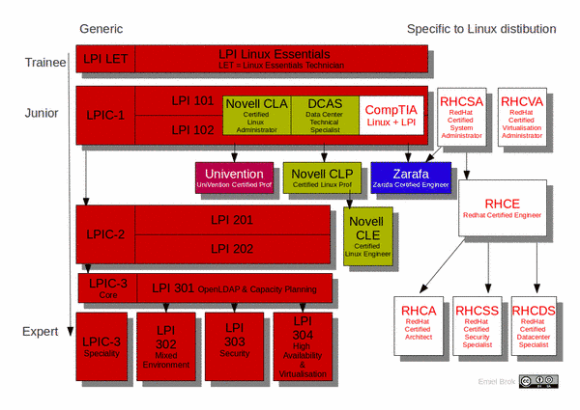
 One has to take the exams in the right order: start at the so called ‘Junior’-level, and work your way down. That’s why I decided to do some self-study and take the LPI-101 and LPI-102 exams to become LPIC-1 certified. I passed the first exam last week (730/800), and the second one today (700/800). As a bonus, I also received the Novell/SUSE Certified Linux Administrator (CLA) certificate. So this is a nice first step.



 Remi Bergsma's blog